





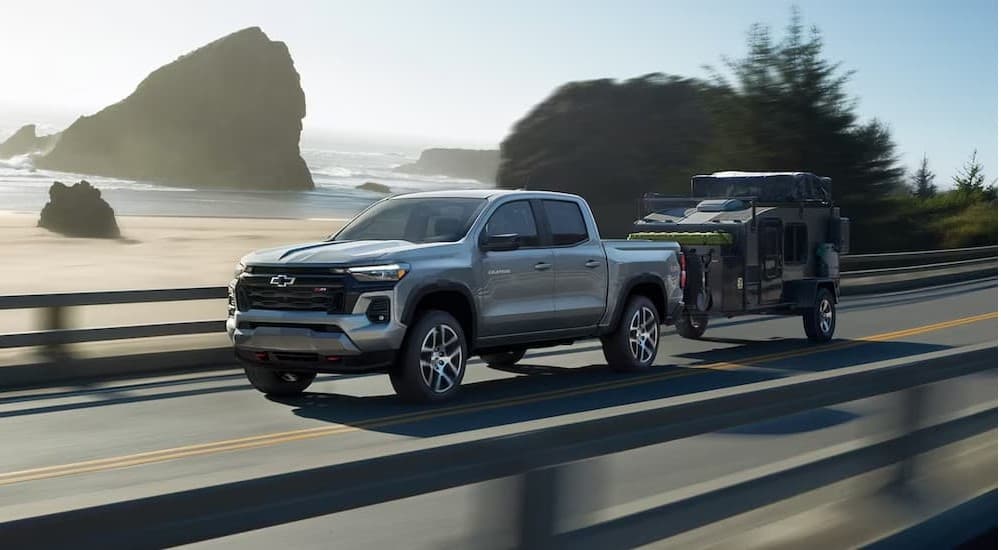
One of the biggest modern vehicle technologies drivers look for is cameras. The addition of cameras greatly improves overall visibility, letting you see behind, to the side, and even underneath a car or truck to greatly improve awareness and safety. It’s no surprise that the vehicle camera market size is expected to grow over 10% annually in the coming years.
People looking at the Chevy Colorado for sale in Castroville, and any other vehicle for that matter, regularly ask us about the camera options. From avoiding collisions in heavy downtown traffic to navigating off-road obstacles, good truck cameras are a huge boost to Southern Texas drivers. We’re happy to report the current-gen Colorado has ten available camera views, which work together to provide a safer, more convenient experience.
What are those camera views, and how do they work? We’re here to answer that question, along with how to get the camera views you want and need.
Breaking Down the Chevy Colorado Camera Views
The available camera views can be divided into three main categories. Driving Views, Parking Views, and Towing Views. That said, there is overlap in a few cases. Let’s go over each camera view, how they work, and when you might use them in and around Castroville.
Driving Views
As the name suggests, these cameras are primarily for when your Colorado is moving at normal driving speed. From Route 90 to your favorite adventure park, these three cameras help you get there.
Front Camera View
On vehicles with higher frames and suspensions like a pickup, there can be a larger blind spot in front of the nose. Activating the Front Camera View lets you see the area directly ahead of the bumper and grille. This reduces the chances of accidentally running into another vehicle in stop-and-go traffic, or stopping way short when you didn’t need to. This camera view also includes guidelines for use when parking or turning around.
Front Underbody View
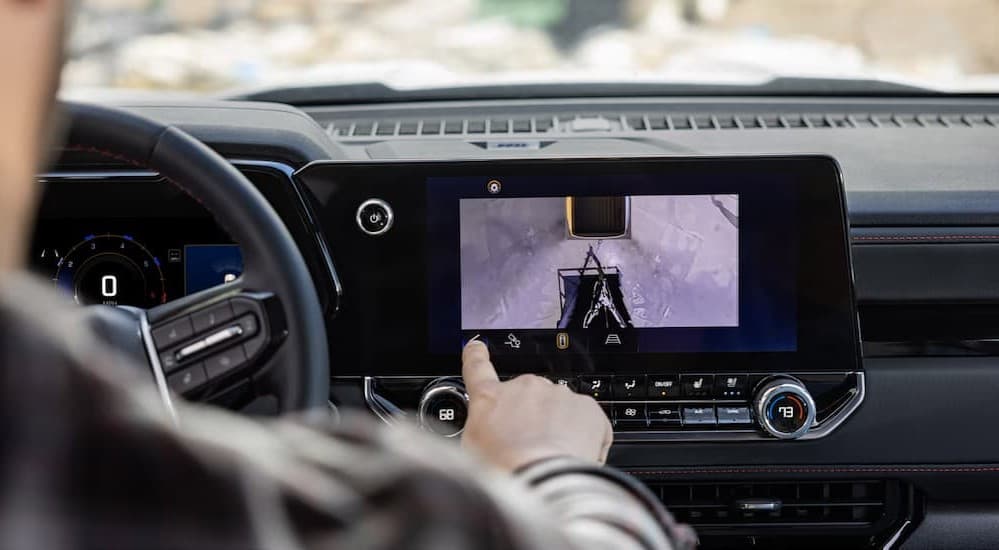
Have you ever felt the sickening thud or crunch when you weren’t clear of an obstacle after all? Thanks to Front Underbody View, you’ll never have to worry about it again. This camera is attached to the frame and lets you see underneath the front half of the truck. Monitor terrain, wheel spin and placement, obstacles, and more, letting you maneuver accordingly. The Colorado is the only midsize truck that lets you get this popular off-road camera view factory-installed.
Rear Underbody View
This camera is the same as the Front Underbody View, only the camera points out the rear to see the underside of the back half. It’s very useful when you’re backing up or need to confirm your departure angle is sufficient when cresting a hill. Functionality is included to toggle back and forth between the two underbody cameras in real time. Like the front view, this camera is available only on the Chevy Colorado.
Parking Views
Now it’s time for the cameras that you primarily use during low-speed driving, such as getting into and out of parking spaces. When you’re dealing with crowded Castroville sheets and parking lots, or headed to the Alamo City, you’ll be thankful for the assistance these five parking cameras provide.
Rear Camera View
The is the OG of camera views and one of the most sought, with one Consumer Reports survey finding that 51% of drivers wanted a backup camera on their next vehicle. When you put the truck into reverse, Rear Camera View automatically turns on, showing you the area behind the bumper and tailgate. Optional guidelines help you back into a spot or towards a trailer hitch.
Front Side View
Castroville drivers know the pain of parking too close to another vehicle so they can’t get the doors open, or clipping a curb with the tires as they attempt a tight turn. Front Side View accounts for this by showing you where each front tire is when you’re parking. It’s an excellent off-road camera as well, helping you steer away from branches, tree stumps, and big rocks.
Rear Side View
On large vehicles, even if you have big side mirrors and turn your head, it can be hard to see along the sides. Rear Side View uses two cameras and a split screen to give you a full view down both sides of your Chevy Colorado—and a trailer if you have one. This view also works well for high-speed driving, eliminating blind spots so you can change lanes safely.
Front Top-Down View
Seeing in front and to the sides is great, but sometimes an overhead view is best. Front Top-Town View puts you above the nose of your Chevy Colorado, letting you simultaneously see ahead of the front bumper and alongside the tires. You can switch on guidelines if desired or leave them off.
HD Surround View
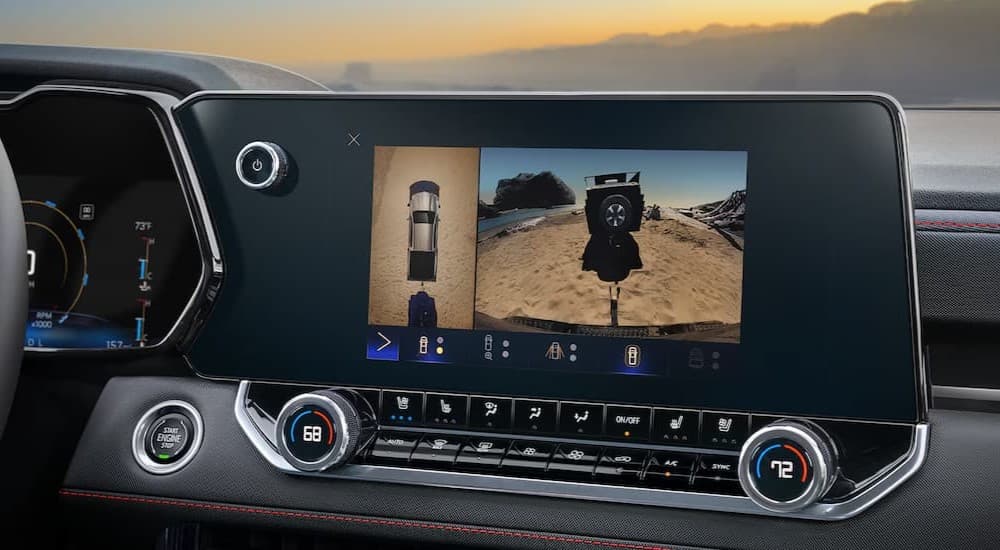
What if you want to see everything around your Chevy Colorado? Do just that with GM’s famous HD Surround Vision. This camera view/function combines the Front and Rear Camera View, Front and Rear Side View, and Front and Rear Top-Down View for a 360-degree bird’s eye feed—all in crisp high definition. It works when you’re in drive or reverse, and you can even set HD Surround Vision to activate automatically when the sensors detect nearby objects.
Towing Views
Finally, we come to a pair of cameras that are mainly for hooking a trailer to your Chevy Colorado. They let Castroville drivers haul safely, save time, and prevent damage.
Hitch View
Using a camera attached to the top of the tailgate and pointing straight down, Hitch View gives you a direct view of the receiver hitch and the immediate surrounding area. Instead of needing a spotter or constant guessing, you can align the receiver and tongue precisely on the first try. The Hitch Guidance system adds centered guidelines for even smoother hook-ups.
Rear Top-Down View
Go even farther above the receiver hitch with this overhead camera. The Rear Top-Town View lets you see roughly one lane along with the receiver, the front of the trailer, and the back half of the bed. It’s great for seeing whether you have clearance before venturing into tight areas.
Which Chevy Colorado Trim Levels Have Which Camera Views?
Now that we’ve covered all ten camera views, the question becomes how Castroville drivers can get them. Here’s a breakdown of which cameras are standard or available for the different Chevy Colorado models.
- The Rear Camera View and Hitch View are standard on all trim levels.
- HD Surround Vision, the Front Camera View, the side cameras, and the top-down cameras are available as optional upgrades on trims higher than the base WT
- The underbody cameras are available on the Chevy Colorado Z71 and ZR2.
Get the 2025 Chevy Colorado Now at North Park Chevrolet
Whether you’re hauling an ATV, exploring off-road trails, or going to the grocery store, driving is better with advanced cameras. The Chevy Colorado lets you see anywhere above, around, or underneath your truck for maximum visibility. When you add the other impressive aspects of this truck, like its powerful engine and comprehensive infotainment system, the 2025 Chevy Colorado is made for Texas adventure enthusiasts.
Hop into a Chevy Colorado and see why it’s the leading midsize truck in North America. North Park Chevrolet is here to help Castroville drivers find a Colorado with the camera views and other features they want, and we can even demonstrate how to use them. If something goes wrong with a camera, our state-of-the-art service center will get it working again fast.
Connect with us


- July 2026
- June 2026
- May 2026
- April 2026
- March 2026
- February 2026
- January 2026
- December 2025
- November 2025
- October 2025
- September 2025
- August 2025
- July 2025
- June 2025
- May 2025
- April 2025
- March 2025
- February 2025
- January 2025
- December 2024
- November 2024
- October 2024
- September 2024
- August 2024
- July 2024
- June 2024
- May 2024
- April 2024
- March 2024
- February 2024
- January 2024
- December 2023
- November 2023
- October 2023
- September 2023
- August 2023
- July 2023
- June 2023
- May 2023
- April 2023
- March 2023
- February 2023
- January 2023
- December 2022
- November 2022
- October 2022
- September 2022
- August 2022
- July 2022
- June 2022
- May 2022
- April 2022
- March 2022
- February 2022
- January 2022
- December 2021
Archives
- 2024 Chevy Blazer
- 2024 Chevy Equinox EV
- 2024 Chevy Suburban
- 2024 Silverado EV vs 2024 Ford F-150 Lightning
- 2025 Chevy Blazer
- 2025 Chevy Blazer EV
- 2025 Chevy Colorado
- 2025 Chevy Colorado vs 2025 Ford Ranger
- 2025 Chevy Equinox
- 2025 Chevy Equinox EV
- 2025 Chevy Silverado 1500
- 2025 Chevy Silverado 2500 HD
- 2025 Chevy Silverado 3500 HD
- 2025 Chevy Suburban
- 2025 Chevy Tahoe
- 2025 Chevy Trailblazer
- 2025 Chevy Traverse
- 2025 Chevy Traverse vs 2025 GMC Acadia
- 2025 Chevy Trax
- 2026 Chevy Colorado
- 2026 Chevy Colorado vs 2026 GMC Canyon
- 2026 Chevy Equinox
- 2026 Chevy Silverado 1500
- 2026 Chevy Silverado 1500 vs 2026 GMC Sierra 1500
- 2026 Chevy Silverado 1500 vs 2026 Ram 1500
- 2026 Chevy Silverado 2500 HD
- 2026 Chevy Tahoe
- 2026 Chevy Trax
- 2027 Chevy Bolt
- 2027 Chevy Silverado 1500
- Bigfoot Chevy Dealership
- Blazer EV for Sale
- Blazer EV for Sale Near San Antonio
- Boerne Chevy Dealer
- Braun's Farm Chevy Dealership
- Budget Cars for Sale
- Castroville Chevy Dealership
- Certified Pre-Owned Chevy Dealer
- Chevrolet Camaro Dealer
- Chevrolet Dealership San Antonio
- Chevy Blazer for Sale
- Chevy Bolt for Sale
- Chevy Colorado for Sale
- Chevy Colorado for Sale In Castroville
- Chevy Colorado for Sale Near Helotes
- Chevy Colorado for Sale Near Hondo
- Chevy Colorado for Sale Near Lakehills
- Chevy Colorado for Sale Near San Antonio
- Chevy Dealer
- Chevy Dealer Near Converse
- Chevy Dealer Near Lakehills
- Chevy Dealer Near Me
- Chevy Dealer Near Pearsall
- Chevy Dealer Near San Antonio
- Chevy Dealer Serving Uvalde
- Chevy Equinox EV Dealer
- Chevy Equinox EV for Sale
- Chevy Equinox EV for Sale Near Castroville
- Chevy Equinox EV for Sale Near San Antonio
- Chevy Equinox for Sale
- Chevy Equinox for Sale Near San Antonio
- Chevy Equinox for Sale Near Uvalde
- Chevy EV Dealer
- Chevy Fleet Vehicles for Sale
- Chevy Malibu for Sale
- Chevy Silverado 1500 Dealer
- Chevy Silverado 1500 for Sale
- Chevy Silverado 1500 for Sale in Castroville
- Chevy Silverado 1500 for Sale Near Fair Oaks Ranch
- Chevy Silverado 1500 for Sale Near Helotes
- Chevy Silverado 1500 for Sale Near Hondo
- Chevy Silverado 1500 for Sale Near San Antonio
- Chevy Silverado 1500 for Sale Near Uvalde
- Chevy Silverado 2500 for Sale Near San Antonio
- Chevy Silverado EV for Sale in Castroville
- Chevy Suburban for Sale
- Chevy Suburban for Sale Near San Antonio
- Chevy Suburban for Sale Near Uvalde
- Chevy SUVs for Sale
- Chevy Tahoe for Sale Near Hondo
- Chevy Tahoe for Sale Near Lakehills
- Chevy Tahoe for Sale Near San Antonio
- Chevy Trailblazer for Sale
- Chevy Trailblazer for Sale Near San Antonio
- Chevy Traverse for Sale
- Chevy Traverse for Sale in Castroville
- Chevy Traverse for Sale Near Helotes
- Chevy Traverse for Sale Near Lakehills
- Chevy Traverse for Sale Near Leon Valley
- Chevy Traverse for Sale Near San Antonio
- Chevy Trax for Sale
- Chevy Trax for Sale in Castroville
- Chevy Trax for Sale Near San Antonio
- Chevy Trucks for Sale
- Chevy Trucks for Sale Near Hondo
- Chevy Trucks for Sale Near Lakehills
- Devine Chevy Dealer
- Electric Vehicles for Sale
- GM Purchase Programs
- Helotes Chevy Dealer
- Hondo Chevrolet Dealer
- Hondo Chevy Dealer
- Leon Valley Chevy Dealership
- Moore Chevy Dealer
- Oak Grove Chevrolet Dealer
- Oil Change
- Oil Change Near Me
- San Antonio Chevrolet Dealer
- San Antonio Chevy Commercial Truck Dealer
- San Antonio Chevy Dealer
- San Antonio Chevy Suburban Dealer
- San Antonio Used Car Dealerships
- San Antonio Used Chevy Dealer
- Sell My Car
- Silverado 2500 for Sale
- Silverado EV for Sale
- Silverado EV for Sale Near San Antonio
- SUVs for Sale
- SUVs for Sale in Castroville
- SUVs for Sale in San Antonio
- SUVs for Sale Near Hondo
- Tahoe for Sale
- Texas Chevy Dealer
- Truck Dealer Near Me
- Trucks for Sale
- Used Car Dealer Near Me
- Used Cars for Sale
- Used Chevy Dealer
- Used Chevy Silverado for Sale
- Used Chevy Silverado for Sale Near San Antonio
- Used Chevy Trucks Near Me
- Used SUVs for Sale
- Used Truck Dealer Near San Antonio
- Used Truck Dealership
- Used Trucks for Sale
- Used Trucks for Sale in Castroville, TX
- Used Trucks for Sale Near San Antonio
- Work Trucks for Sale